
Image Spot Blur Tool
Image Spot Blur Tool
Click & drag on image to blur selected areas

Unlimited
You can use Image Spot Blur Tool On ClickyFyAi With Free, Fast & Instantly.

Fast Conversion
Because of its sophisticated conversion engine, it can convert all of the chosen photographs in a significantly shorter amount of time

Powerful Tool
The online Image Spot Blur Tool is simple to use and accessible from any browser on any operating system.

Add Multiple File
This platform makes it simple to convert many Files at once, create a PDF, and save the finished product right away.

Security
After one hours, all of the files you submit will be immediately deleted from our systems.

User Friendly
It doesn’t require technological expertise and is made for all users. It’s easy and quick to convert your Files to a PDF.
How To Blur Image?
1. First of all, Select Your Image.
2.Adjust Blur Strength & Brush Size.
3.Place the brush wherever you want to blur the image.
4.Change Your File Name.
5.Click Download Button To Download Your Image.
Image Spot Blur Tool – Blur Specific Areas in Your Image Instantly
The Image Spot Blur Tool by ClickyFyAi is one of the most popular and trending online editing tools for users who want to hide sensitive information, blur faces, remove distractions, or apply an aesthetic blur effect to photos. This tool is designed for bloggers, content creators, photographers, students, social media users, and professionals who need a quick and secure solution to edit images without installing any software. With a clean interface, fast processing, and high-quality output, the tool ensures a professional blur effect in seconds.
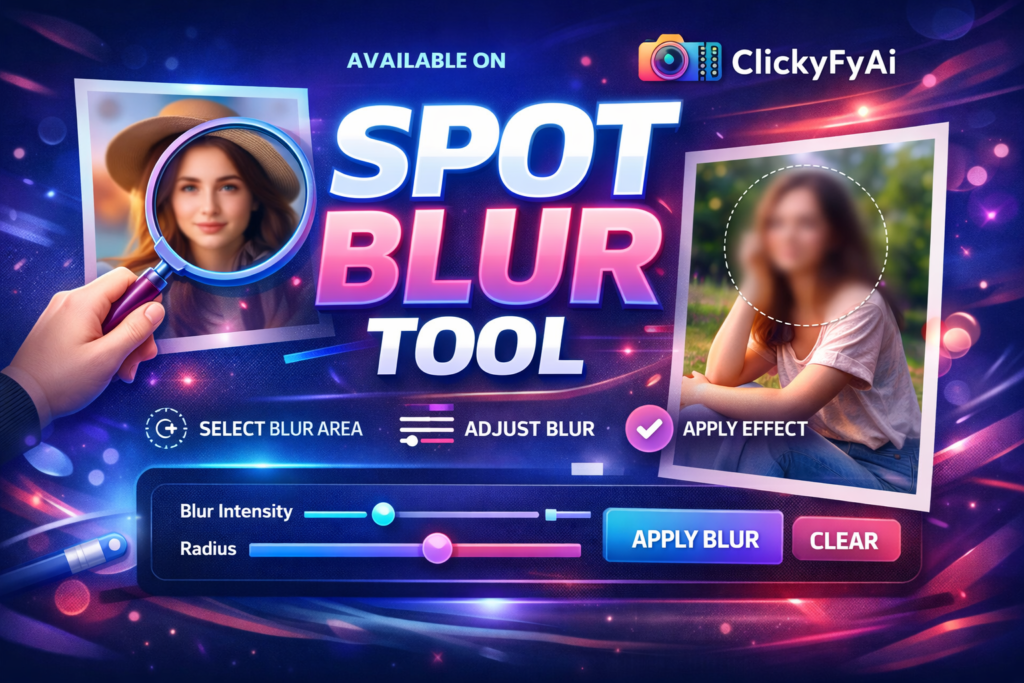
This online Spot Blur Image Tool allows you to blur specific parts of an image, like faces, number plates, background objects, or private text. Just upload your picture, select the blur area, adjust the intensity, and download the final image—100% free and mobile-friendly.
🔥 Why Use the Image Spot Blur Tool on ClickyFyAi?
✔️ Blur faces & protect privacy
✔️ Hide documents, numbers & personal info
✔️ Remove background distractions
✔️ Mobile & desktop friendly interface
✔️ No sign-up, no watermark, no software required
✔️ Supports JPG, JPEG, PNG & WebP formats
✔️ Fast results with HD quality output
🎯 Key Features
Spot Blur Online Editor
Image Face Blur Tool
Background Blur Tool
Blur private information in photos
Online photo privacy blur editor
AI Blur Image Tool – ClickyFyAi
Selective blur for social media posts
Mobile-friendly blur photo tool
These target keywords are Google-friendly and help the page rank faster while maintaining natural readability.
📍How to Use the Image Spot Blur Tool (Step-by-Step)
Go to ClickyFyAi → Image Spot Blur Tool
Upload your picture from device / gallery
Tap and drag to select the blur spot
Adjust blur strength & preview changes
Download HD image instantly
This tool is ideal for WhatsApp, Instagram, TikTok, Facebook, YouTube Thumbnails, Fiverr, Upwork portfolios, eCommerce product photos, and more.
💡 Who Should Use This Tool?
Social media influencers
Digital marketers
Online sellers (Amazon, Shopify, Etsy)
Students & teachers sharing documents
Privacy-conscious users
Bloggers & content creators
Whether you want to blur your face, license plate, home address, price tag, or background—ClickyFyAi Image Spot Blur Tool is the safest and fastest solution.
People Also Ask
What is the Image Spot Blur Tool on ClickyFyAi?
The Image Spot Blur Tool is an online editor that allows you to blur a specific area or spot in an image. You can select any part of the picture and apply blur instantly without needing advanced editing skills.
Is the Image Spot Blur Tool free to use?
Yes, the tool is free to use. You can upload images, mark the area you want to blur, and download the edited image—all without payment.
What types of images can I blur with this tool?
You can blur faces, license plates, background objects, text, private details, sensitive information, and any unwanted parts in a picture.
Is my data safe on ClickyFyAi?
Your data is only used to process your request and is not stored or shared with anyone.
Can I blur multiple spots in one image?
Yes, you can select multiple areas and blur as many spots as needed before downloading the final image.